ClearLens
ClearLens — magnifying glass with light for Android
Android magnifier app · Updated October 2026
English · 한국어
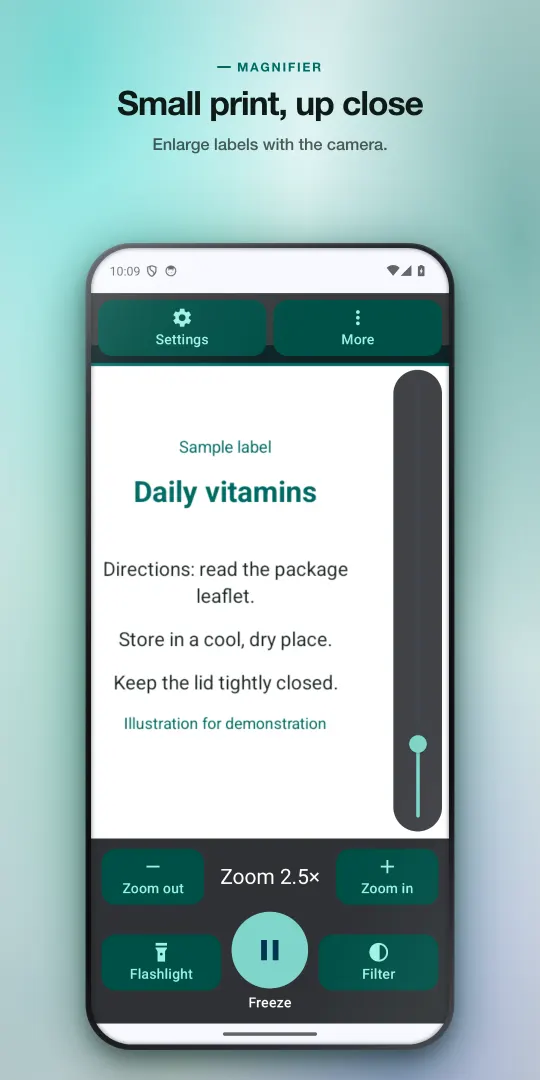
Medicine labels, restaurant menus, receipts and price tags are printed for people with perfect eyes and perfect lighting. ClearLens points your phone's rear camera at the text, enlarges it, and lights it up with the flashlight. Freeze the view, zoom further into the still image, and switch to a high-contrast color scheme until the words are easy to read.
Free with ads · optional one-time Remove Ads or Pro · no subscription · Android 8.0+
What it does
- Live zoom — from 1x up to your rear camera's limit, with a large vertical slider, pinch, and big labeled +/– buttons. It opens at 2x so it feels like a magnifier from the first second.
- Light — one tap turns on the flashlight on phones that have one. Tap to focus, lock focus, and adjust exposure when glossy packaging glares.
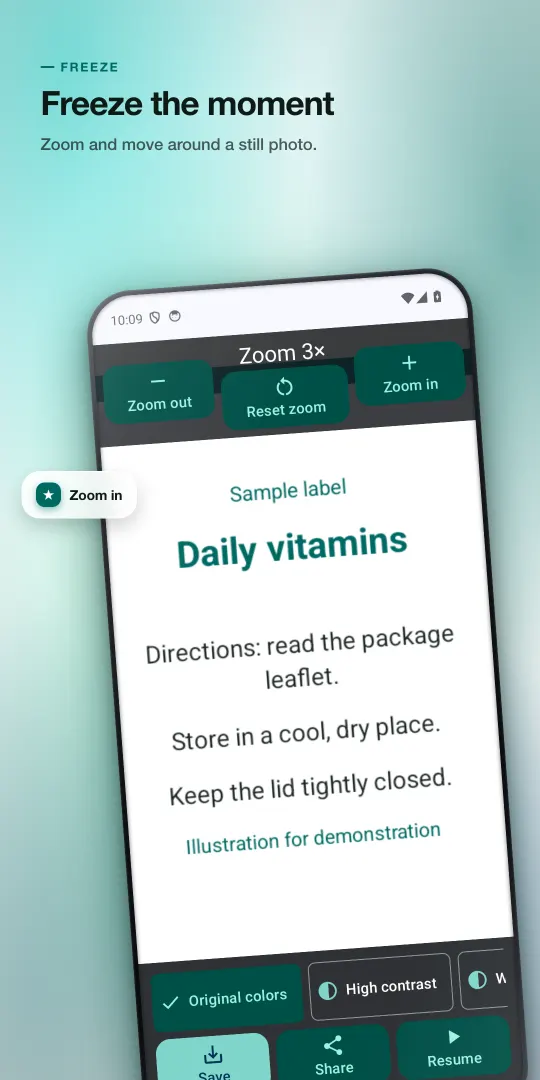
- Freeze the sharpest frame — when you tap Freeze, ClearLens picks the sharpest of the most recent camera frames (from the last half-second), so a shaky hand matters less. Then pinch, double-tap or use the buttons to zoom up to 10x further and pan around.
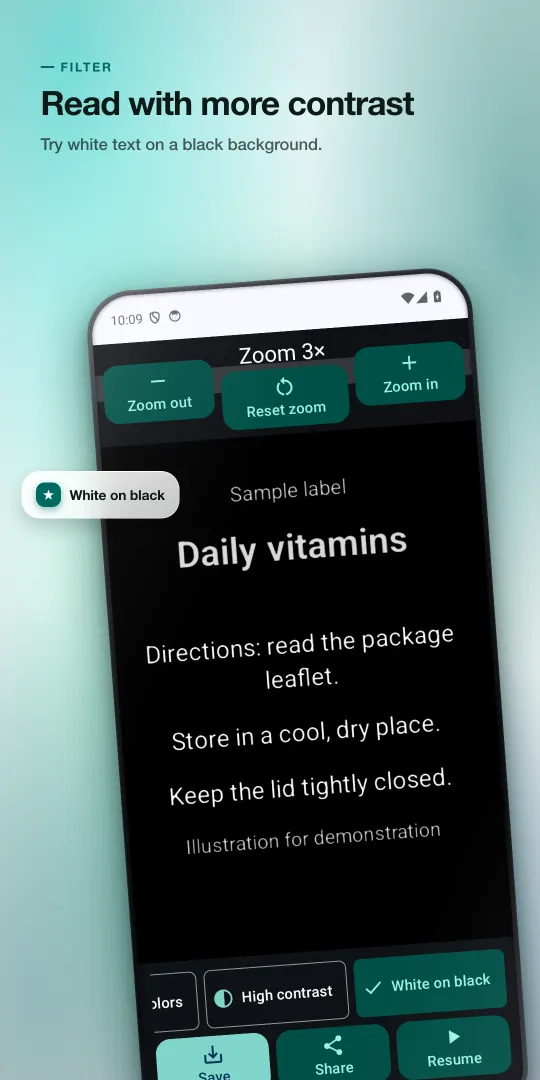
- High-contrast filters — black & white, white text on black, and yellow text on black on the frozen image; black & white also works live.
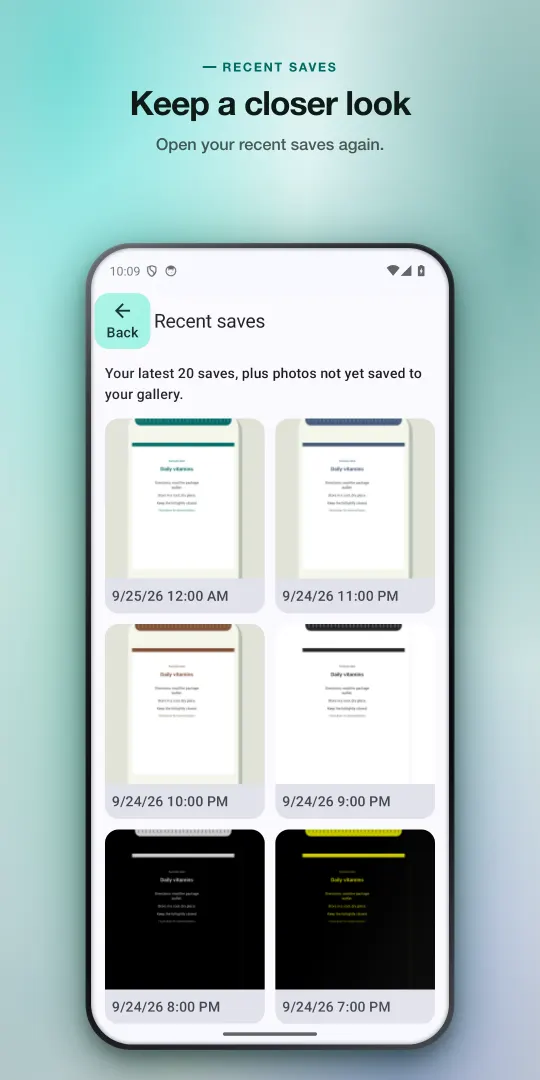
- Save and share — save the filtered photo to your gallery (Pictures/ClearLens) or share it; your 20 most recent saves stay in the app.
- Magnify any photo — open a picture from your gallery with the Android photo picker and use the same zoom and filters, even without camera permission.
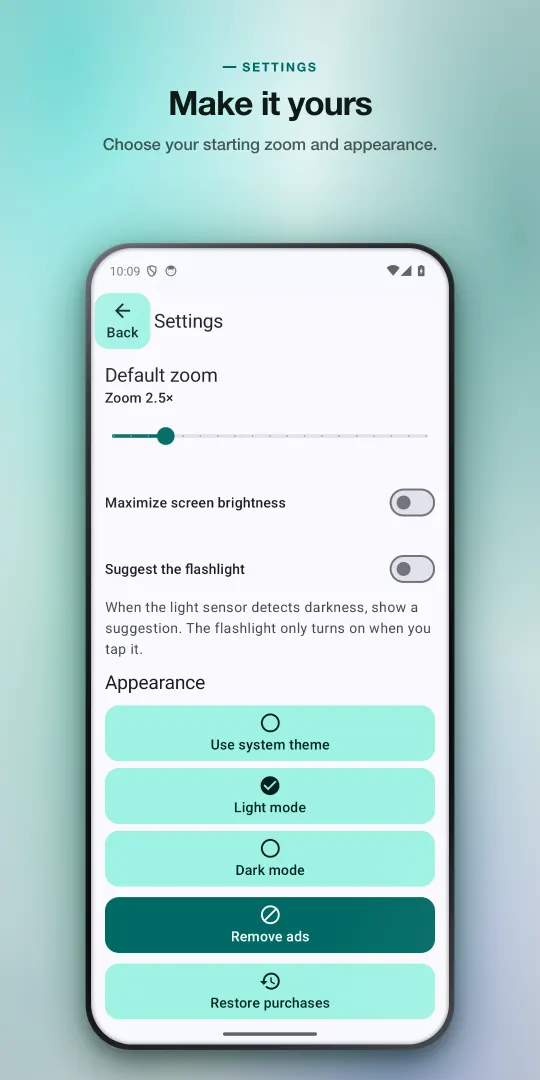
- Made for tired eyes — large buttons with text labels, optional maximum screen brightness (only while ClearLens is open), light, dark or system theme.
Who it's for
- Anyone who reaches for reading glasses that are never in the room: pill bottles, ingredient lists, warranty serial numbers.
- Reading menus and bills in dim restaurants, or the fine print on a ticket.
- People who like to photograph small text once and read it later at a comfortable size.
ClearLens is a general-purpose magnifier, not a medical device. It does not diagnose or treat anything and is not a substitute for an eye exam. If reading has become noticeably harder, please see an eye care professional.
Honest pricing
Everything listed under "What it does" is free, and stays free. The free version shows ads: a small banner below the camera view, and an occasional full-screen ad that can appear only when you go back from a frozen photo to the live camera — not while you zoom or read, and not in your first session.
- Remove Ads — a one-time purchase that turns off all ads.
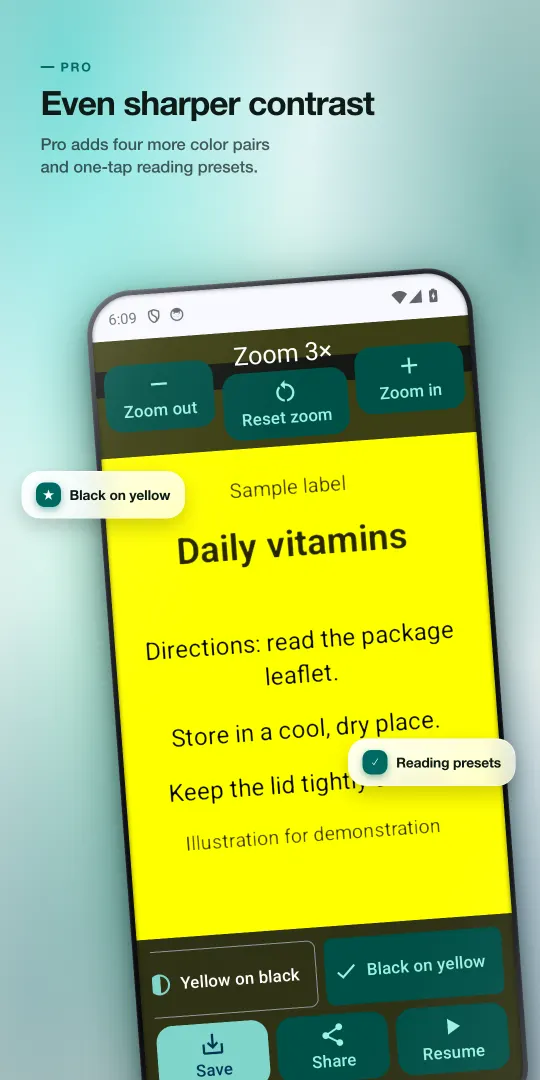
- ClearLens Pro — a one-time purchase that removes ads and adds three reading presets (save your zoom, black & white and flashlight together and bring them back with one tap), four more high-contrast color pairs (black on yellow, yellow on blue, green on black, white on blue), and keeps every save in the app instead of the latest 20.
- Already bought Remove Ads? You are offered a Pro upgrade, not the full Pro price.
There is no subscription. Prices are set per country by Google Play and shown before you pay, and purchases can be restored from Settings.
Questions
- Is ClearLens free?
- Yes. Zoom, flashlight, freeze, the four standard filters, saving, sharing and opening photos are free. The free version shows ads. Remove Ads and ClearLens Pro are optional one-time purchases, not subscriptions; the price for your country is shown in Google Play before you pay.
- Does it have ads?
- Yes, the free version does. A small banner sits below the camera view. An occasional full-screen ad can appear only when you go back from a frozen photo to the live camera — never while you are zooming or reading, and not in your first session. Buying Remove Ads or Pro turns both off.
- How far can it zoom?
- Live zoom goes from 1x up to the limit your phone's rear camera reports, so it differs between phones. After you freeze the view, you can zoom the still image up to 10x more and pan around it.
- Does the flashlight work on every phone?
- It works on phones whose rear camera has a flash. If your phone has a light sensor and you switch on the flashlight suggestion in Settings, ClearLens suggests the light when it gets dark — but the flashlight only turns on when you tap it.
- Are my photos uploaded anywhere?
- No. Magnifying, filters and picking the sharpest frame all happen on your phone. A photo is written only when you tap Save (to your gallery and the in-app recent list) or Share (to the app you choose). The ad SDK in the free version does collect device data to serve ads; the privacy policy lists exactly what.
- Can I use it without giving camera access?
- Yes. Open a photo from your gallery with the Android photo picker and you get the same zoom and filter tools on that photo, no camera permission needed.
- Is ClearLens a medical or low-vision device?
- No. It is a general magnifier for everyday reading, not a medical device, and it is not a substitute for an eye exam or professional low-vision care. If your vision has changed, see an eye care professional.
Guides
- The best magnifier apps for Android for reading small print
- How to read small print with your phone: built-in Android tools vs apps
- Magnifier with flashlight: reading menus and labels in dim light
- Android settings that make your phone easier to see
Android only · free with ads · one-time purchases, no subscription